NAME
App::Workflows::Github - a CI/CD workflow collection for Raku Module developers.
SYNOPSIS
zef install App::Workflows::Github
cd your-module-directory
create-workflows-4-github
DESCRIPTION


App::Workflows::Github is collecting Github workflows for testing your Module on Linux, MacOS and Windows.
Installation
Linux/MacOS/Windows install module command:
zef install App::Workflows::Github
Finally execute the following commands:
cd your-module-directory
create-workflows-4-github
This will create or overwrite the following files:
your-module-directory/.github/workflows/runner.yml
your-module-directory/.github/workflows/dispatch.yml
your-module-directory/.github/workflows/Linux.yml
your-module-directory/.github/workflows/MacOS.yml
your-module-directory/.github/workflows/Windows.yml
your-module-directory/.github/workflows/NixOS.yml
your-module-directory/run-tests.raku
your-module-directory/shell.nix
Then do the usual three git steps to push the changes to github.
git add .github/workflows/ run-tests.raku shell.nix

git commit -m"adding github workflows"

git push
Workflow Dispatch
To dispatch a workflow run using gh CLI use e.g.
cd your-module-directory

echo '{"verbosity":"debug", "os":"windows", "ad_hoc_pre_command":"pwd", "ad_hoc_post_command":"ls -alsh", "os_version":"2019", "raku_version":"2023.02", "run_prove6":"true", "install_module":"true", "run_tests_script":"true", "skip_deps_tests":"false"}' > run_parameters.json
cat run_parameters.json | gh workflow run 'dispatch' --ref branch-to-run-on --json
For 'os' you can choose any of 'ubuntu|macos|windows'. For 'os_version' check supported-runners-and-hardware-resources. For available 'raku_version' check here.
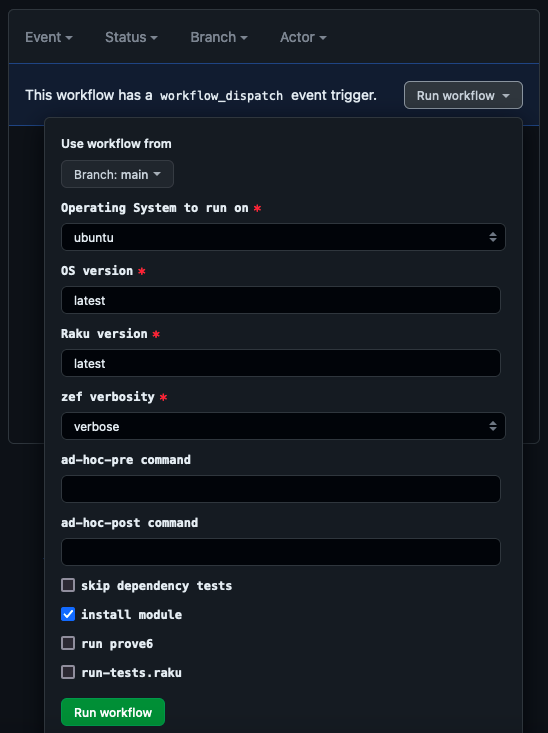
Open https://github.com/your-name/your-module/actions to check the workflow results or dispatch a run via browser.
Scheduled workflows only run automatically on github if the .yml files are pushed to the default branch - usually 'main'.
AUTHOR
rcmlz rcmlz@github.com
COPYRIGHT AND LICENSE
Copyright 2023 rcmlz
This library is free software; you can redistribute it and/or modify it under the Artistic License 2.0.